30 august 2026 · düsseldorf
blackberry → claude code
A BlackBerry Classic's keyboard, pointed at Claude Code on the Mac, since 15 June 2026.
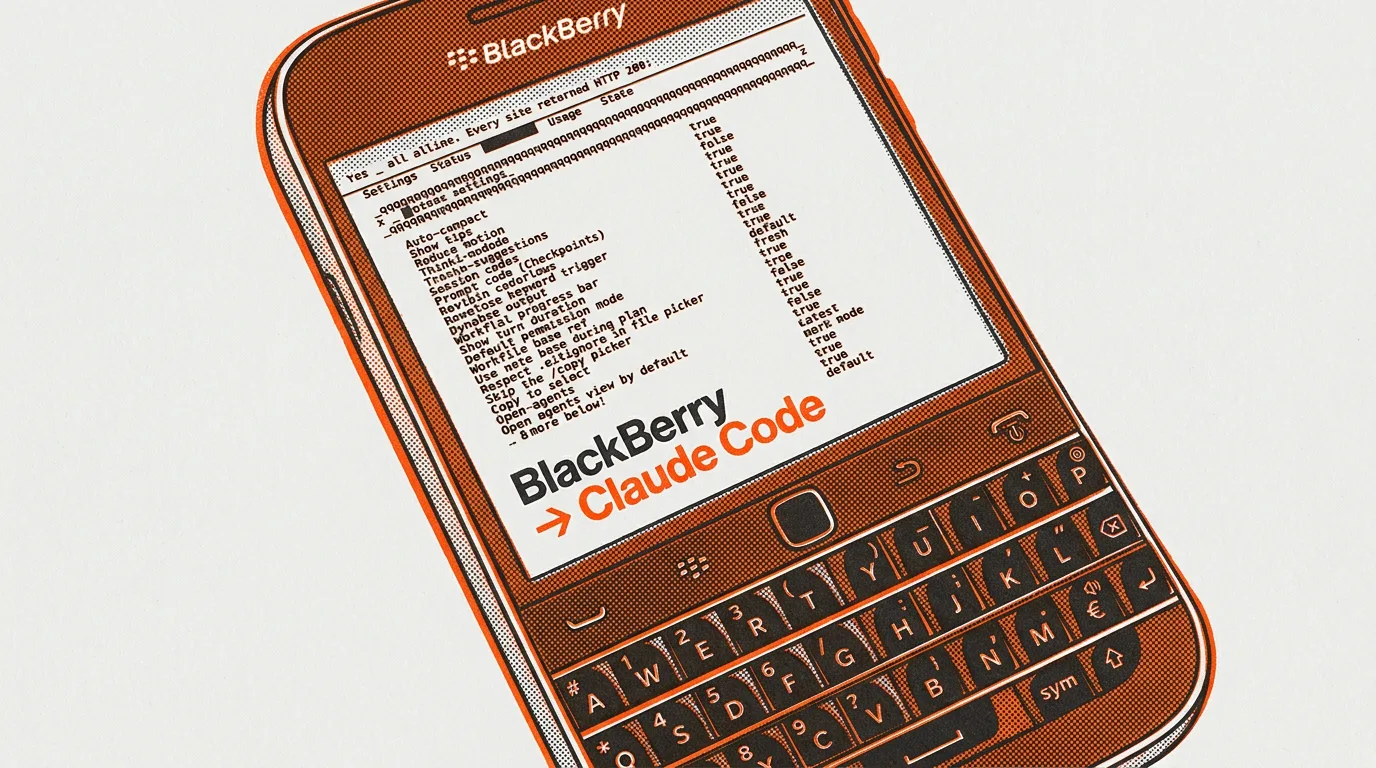
I talk to Claude through a BlackBerry from 2014. In January 2022 the company switched off the servers that approve new software for it, and one factory reset would kill the phone for good. I use it because in 2026 I still type faster on that keyboard than on anything else I own.
Real keys with a real click, a frame your thumbs know without looking. Typing prompts is the one thing this phone does better than anything modern, and prompts are most of what I type now.
So I pointed it at Claude Code. The design is deliberately dumb. The phone talks over WiFi to the Mac. On this path the phone contributes a keyboard and a battery.
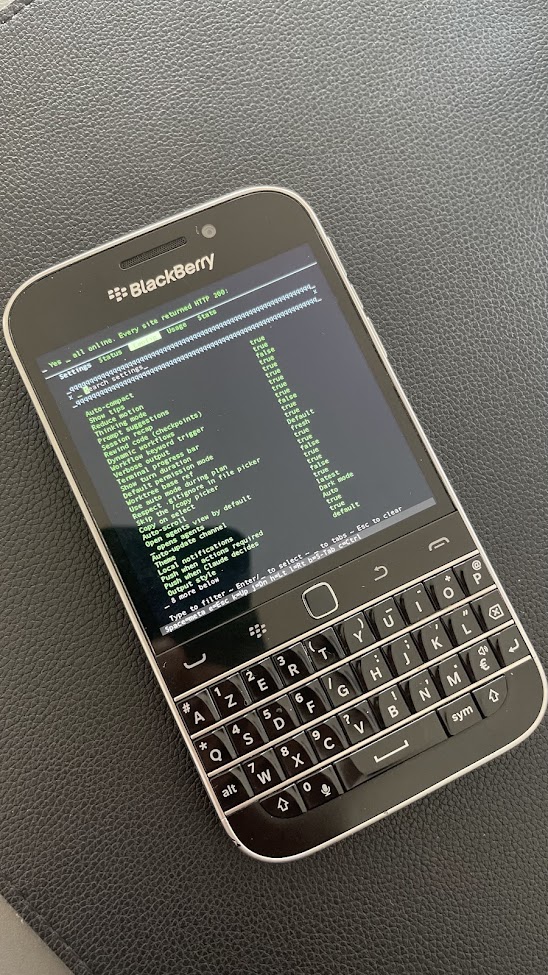
The keyboard
A physical keyboard under a square screen makes a bad phone in 2026 and a very good terminal. The screen only has to show what I typed and what came back.
It is also a keyboard missing most of what a terminal needs. No Escape key, no arrows. Hold the space bar for about a second, a green M appears in the corner, then one letter stands in for the missing key. e is Escape, which is how I interrupt Claude mid-run. None of that remapping is mine. It came verbatim from mordak's Term48, which Term49 continues.
The phone can only ever run one command on the Mac. It connects, and the Mac answers with a menu.
Claude: [Enter]=TUI r=resume q=Q&A a=agentic
        c=Cursor  w=web (touch UI)   >
Enter opens the full Claude interface. It feels like a pocket teletype into the Mac.
The dead parts
Step one was installing a terminal, and step one is where the ecosystem starts fighting. The only apps that install at all are the ones signed before those servers went off. Term49 is one of them, and it is the only reason this project exists. Getting a signed app onto the phone was a dead end four times over.
The path that works is a Java tool dug out of BlackBerry's old developer kit on archive.org. Developer mode on, both machines on the same WiFi, and a 2026 Mac ships software to a 2014 phone.
And you never wipe.
The phone will only boot BlackBerry's own system. So everything I add sits on top of the OS instead of replacing it. That is BerryCore, sw7ft's Unix toolkit for BlackBerry 10, and it comes off again with one delete. Opening Term49 now asks one question first.
BB: [Enter]=Mac l=local >
By August 2026 there were two phones doing this. A Q10 came later. Neither can look the Mac up by name, so its numeric address is written straight into the phone's settings. The commit that first patched them all said exactly what to do about that, "pin the Mac to this IP via a router DHCP reservation … or it will drift again." It drifted again, and again, and the same eleven files got corrected by hand each time. None of these fights was hard. There were just so many of them.
Two doors
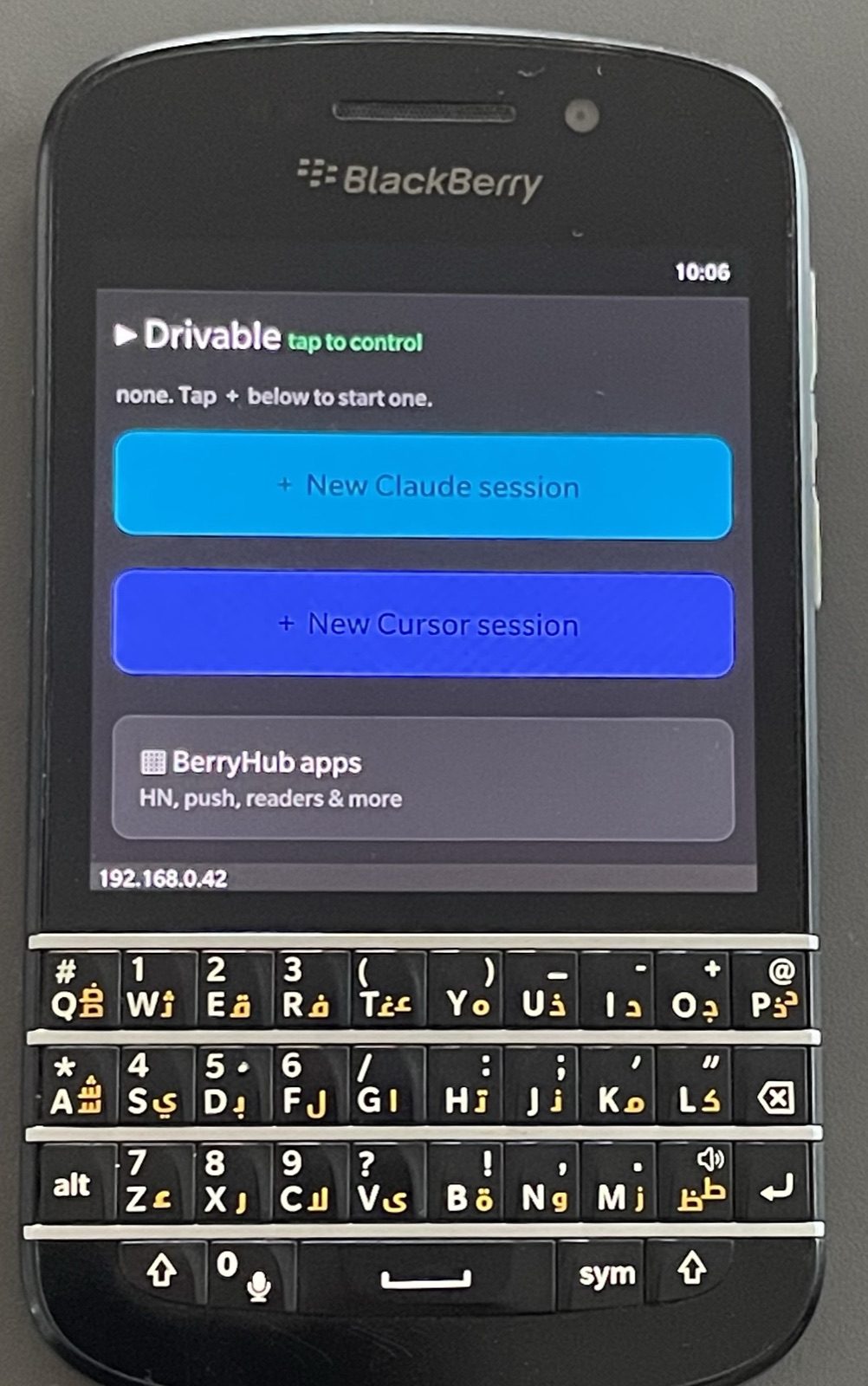
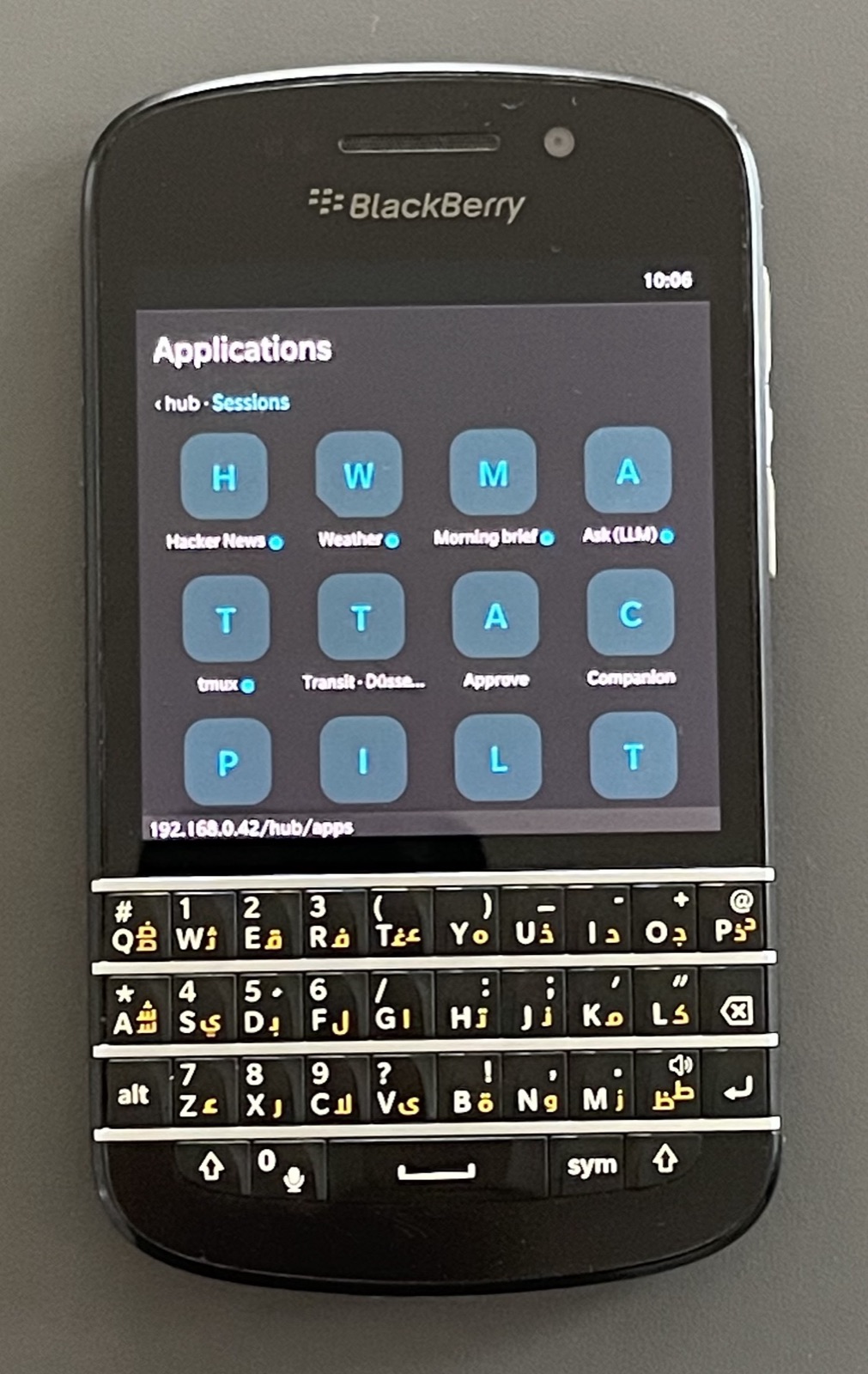
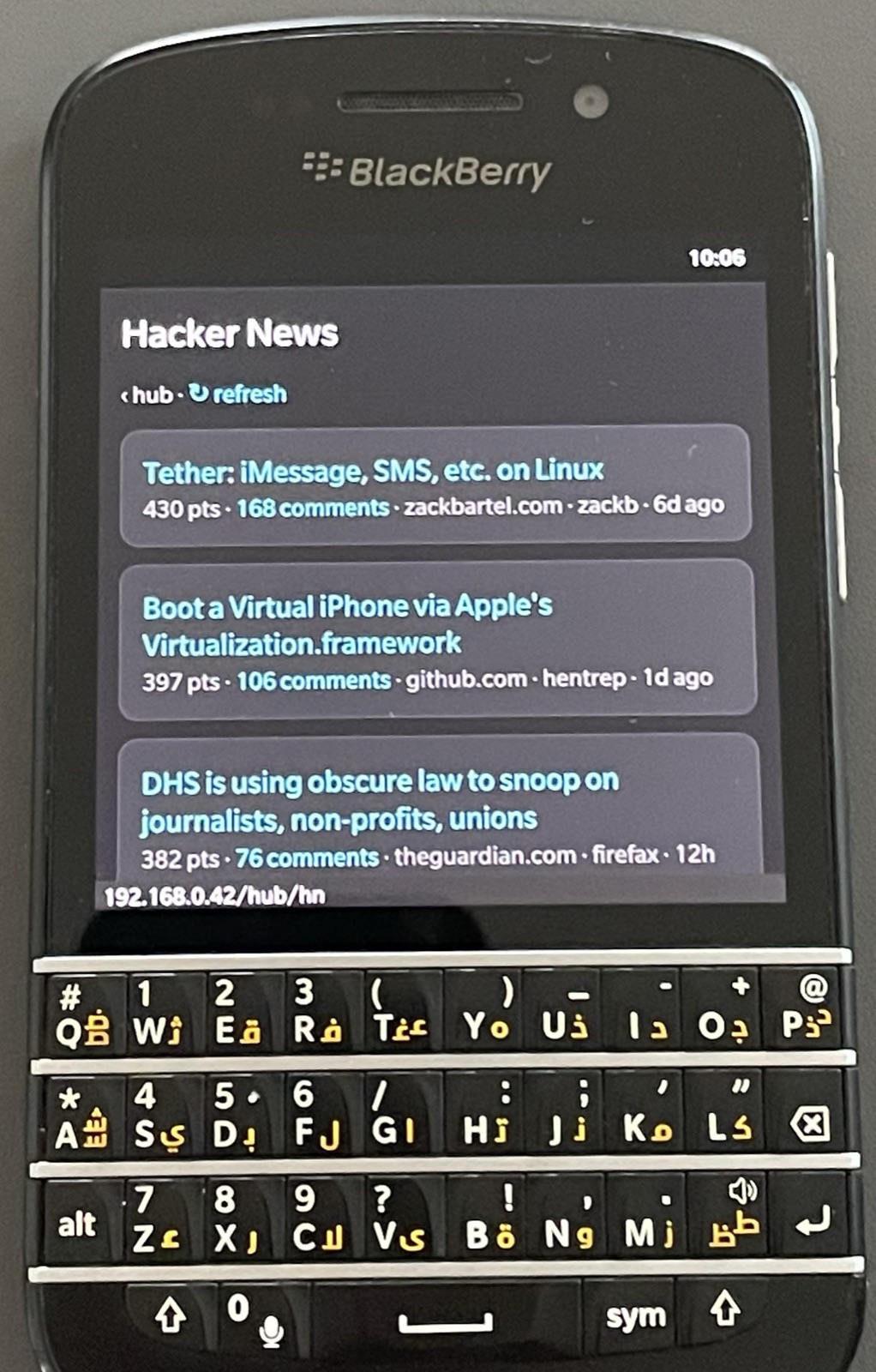
There are two doors into the phone. BerryHub is daily life, Term49 is the keyboard escape hatch. BerryHub is a web dashboard the Mac serves to the phone's browser.
That browser shipped in 2013 and is missing most of what a page is built with today, so every screen is put together on the Mac before the phone sees it. By late June there were 30 of them, weather and transit for Düsseldorf, a dictionary, radio, a quick-note box straight into my notes repo.
On 13 August the whole thing got rebuilt to feel like the phone it lives on. The home screen is a BlackBerry Hub list now, Berry at the top, Applications at the bottom.
Berry is the door I use most. It is a chat thread styled after BlackBerry Messenger, with two buttons doing very different jobs. Send asks a question and nothing can change. Do it picks a project folder and lets the agent work for real.
The Mac buzzes the phone
The layer added on 22 August runs the other direction, the Mac reaching out to the phone. When Claude Code on the Mac wants permission to do something, the Mac sends an email, because push into the BlackBerry Hub is the one notification channel a phone this old still accepts. The phone buzzes, the request comes up, and y or n plus Enter settles it.
No Mac in this picture
Claude Code runs on the phone itself. So much for a keyboard and a battery. A reply in the photo below took 34 seconds.
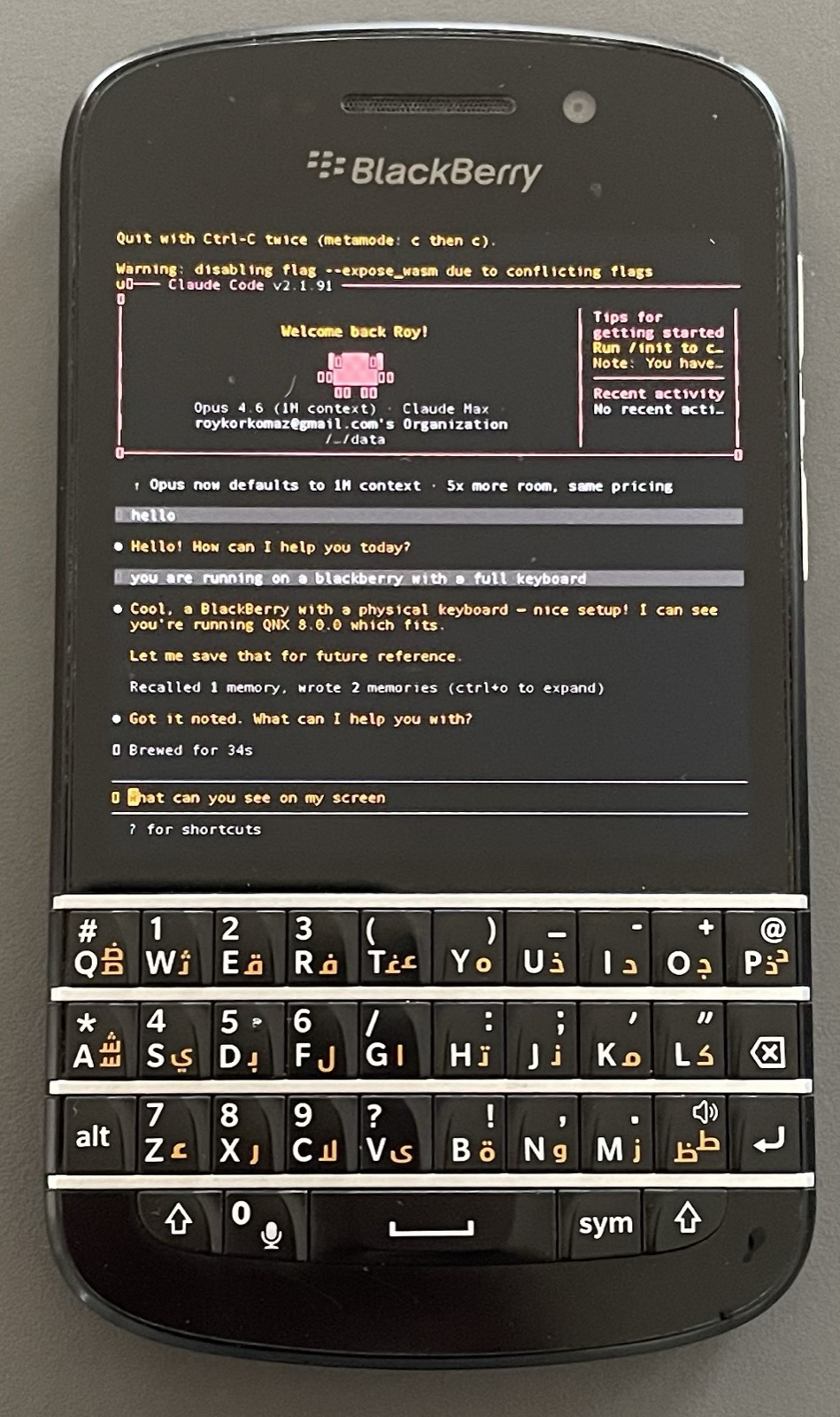
Everything that lets this phone work was decided before I owned it. Term49's signature was minted while the servers were still up, and signatures hold. The phone still refuses anything but BlackBerry's own system, and one wipe would still end it. And it is sitting there running Opus.